How do you trade futures on OKX as a beginner?
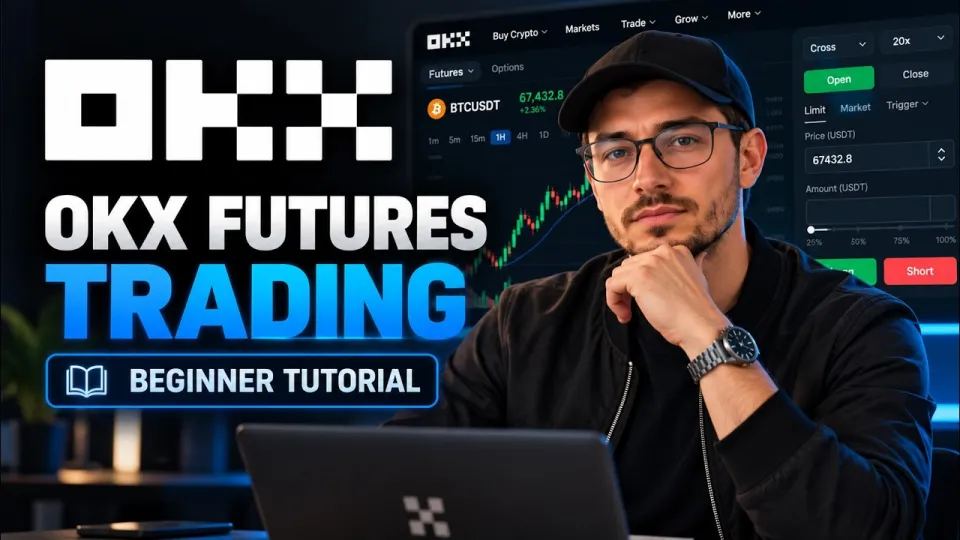
Video: OKX Futures Trading or How to Trade Futures on OKX for Beginners
· based on the channel Binances Club
OKX futures trading means buying or selling a futures contract on the OKX exchange with leverage, in either direction, without owning the underlying coin. For a beginner the flow is short: move USDT into the futures account, pick a contract such as BTC/USDT perpetual, set leverage and margin mode, then open a long or short position and close it with an opposite order. You can start on OKX via the registration link with the referral bonus.
What OKX futures trading actually is
A futures contract on OKX is an agreement to profit or lose from the price change of an asset, settled in stablecoins rather than by delivering the coin. The most traded instruments are USDT-margined perpetual contracts, which have no expiry date and stay open until you close them or get liquidated. Perpetuals track spot price through a funding rate paid periodically between longs and shorts, so holding a position overnight has a small cost or credit depending on the market.
Two things separate futures from simply buying crypto on the spot market. First, you post only a fraction of the position value as margin, which is what leverage means. Second, you can sell first and buy later, so a falling market is tradable as well as a rising one. Everything else on OKX — the order book, the chart, the position panel — is built around those two facts.
Step 1: move funds into the futures wallet
OKX splits your balance into accounts, and futures orders can only be paid from the trading account. Money that sits in the funding account is invisible to the futures engine, which is the single most common reason a first order is rejected.
- Open your account balance in the top-right corner of the OKX interface.
- Choose the transfer option and select the funding account as the source.
- Select the trading (futures) account as the destination and pick the coin, usually USDT.
- Enter the amount and confirm; the balance appears in the futures workspace immediately.
Keep a buffer above the minimum margin. If your whole balance is used as margin, a small adverse move leaves no room to add funds or adjust the position.
Step 2: understand leverage before you touch it
Leverage on OKX is expressed as a multiplier and sets how much position value each dollar of margin controls. At 10x, 100 USDT of margin supports a position worth 1,000 USDT, so a 1% move in price changes your margin by about 10%. At 20x the same 1% move is roughly 20% of margin, and at 100x a 1% move against you wipes out the position.
The maximum leverage available depends on the contract and on the size of your position — larger positions are capped at lower leverage. Beginners are better served by 3x to 5x, which leaves enough margin for normal volatility. Leverage does not change the direction of the trade or the fees; it only changes how much margin is locked and how close the liquidation price sits to the entry price.
Step 3: read the futures interface and place the order
Select Futures in the top navigation and choose a contract from the list, for example BTC/USDT perpetual. The screen is divided into four working areas: the chart in the middle, the order book and recent trades on the sides, the order panel on one edge, and your positions and open orders below.
In the order panel:
- Choose margin mode — isolated keeps each position's margin separate, cross shares the whole balance as collateral.
- Set the leverage with the slider or the plus and minus controls.
- Pick order type: market executes immediately at the best available price, limit lets you name your price and wait.
- Enter the size, either in contracts or in USDT, and check the estimated margin and fees shown under the form.
- Press Buy/Long if you expect the price to rise, Sell/Short if you expect it to fall, then confirm.
The position appears in the positions tab with entry price, size, margin, unrealized profit and loss, and liquidation price. Order types beyond market and limit — such as stop, take-profit and trailing orders — are available from the same panel and are worth learning before trading size.
Step 4: close a trade and control risk
Closing a futures position means placing an order in the opposite direction for the same size, and OKX offers a one-click close on each position row. Partial closes are allowed: you can shut half the position and let the rest run, which is how many traders lock in profit while keeping exposure.
Risk management is the part that decides whether a beginner survives the first month:
- Set a stop-loss at the moment you open, not after the price moves against you.
- Use take-profit orders to exit automatically at a target instead of watching the chart all day.
- Watch the liquidation price; if it is within normal daily volatility of the entry, the leverage is too high.
- Track the funding rate on perpetuals, since it is charged periodically on open positions.
- Size positions so that a single loss is a small percentage of the account, not the whole of it.
Fees are charged on both opening and closing, and the taker fee applies whenever an order fills immediately against the book. Frequent in-and-out trading at high leverage erodes margin quickly through fees alone.
Common beginner mistakes on OKX futures
Most first-week losses on OKX futures come from a short list of avoidable errors. Sending an order from the funding account, ignoring the margin mode, and setting leverage to the maximum because the slider allows it are the top three. Others include closing a position with the wrong size, which leaves a small residual position open, and confusing the contract value with the USDT amount — one BTC contract is not one dollar of BTC.
A practical habit is to place a minimum-size trade first, watch how margin, fees and liquidation price behave, close it, and only then increase size. The platform's demo trading mode exists for exactly this purpose and costs nothing to use.
Useful links
The full walkthrough of the platform is available in the video by the Binances Club channel, and the exchange links from the description are below:
- OKX registration with referral bonus
- KCEX exchange, also recommended in the video description
Final thoughts
OKX futures trading is a mechanical process — transfer funds, set leverage and margin, open a long or short, then close it — and the difficulty lies in risk control rather than in the buttons. Start with low leverage, small size and a stop-loss on every position, and treat the first trades as practice rather than income. The step-by-step breakdown above follows the beginner tutorial published by the Binances Club channel, which is a sensible place to see the interface in motion before risking real funds. If you are ready to open an account, use the OKX sign-up link with the bonus and begin with a minimum-size trade.
Key takeaways
- Futures on OKX trade with leverage and require funds moved from the funding account to the futures (trading) account first.
- Leverage multiplies both profit and loss: 10x turns a 1% price move into roughly 10% on margin.
- A long position profits when price rises, a short position profits when price falls; both are closed with an opposite order.
- Margin mode (cross or isolated) and leverage are chosen before the order is placed, not after.
- Risk tools include stop-loss, take-profit and liquidation prices shown on the position panel.
Source: OKX Futures Trading or How to Trade Futures on OKX for Beginners · Markdown version
Questions & answers
How much money do I need to start futures trading on OKX?
There is no large minimum: with leverage, a small USDT balance can open a position, and many contracts allow trades of a few dollars of margin. The practical requirement is enough margin to survive normal volatility without hitting the liquidation price, so a buffer of several times the minimum is safer than starting at the limit.
What is the difference between cross and isolated margin on OKX?
Isolated margin assigns a fixed amount of collateral to one position, so a loss is capped at that margin. Cross margin uses your whole futures balance as collateral for all positions, which reduces the chance of a single liquidation but puts the entire account at risk.
Can I lose more than I deposit on OKX futures?
With the standard risk controls on OKX, a position is liquidated before the balance goes negative, so losses are limited to the margin in the account. Insurance funds and liquidation engines exist precisely to prevent a negative balance, though fees and funding payments still reduce your equity.
Do I have to verify my identity to trade OKX futures?
Yes, futures trading requires completed identity verification (KYC) on the account. Verification is done once in the account settings and typically needs a government ID and a selfie; without it, derivatives products stay locked.